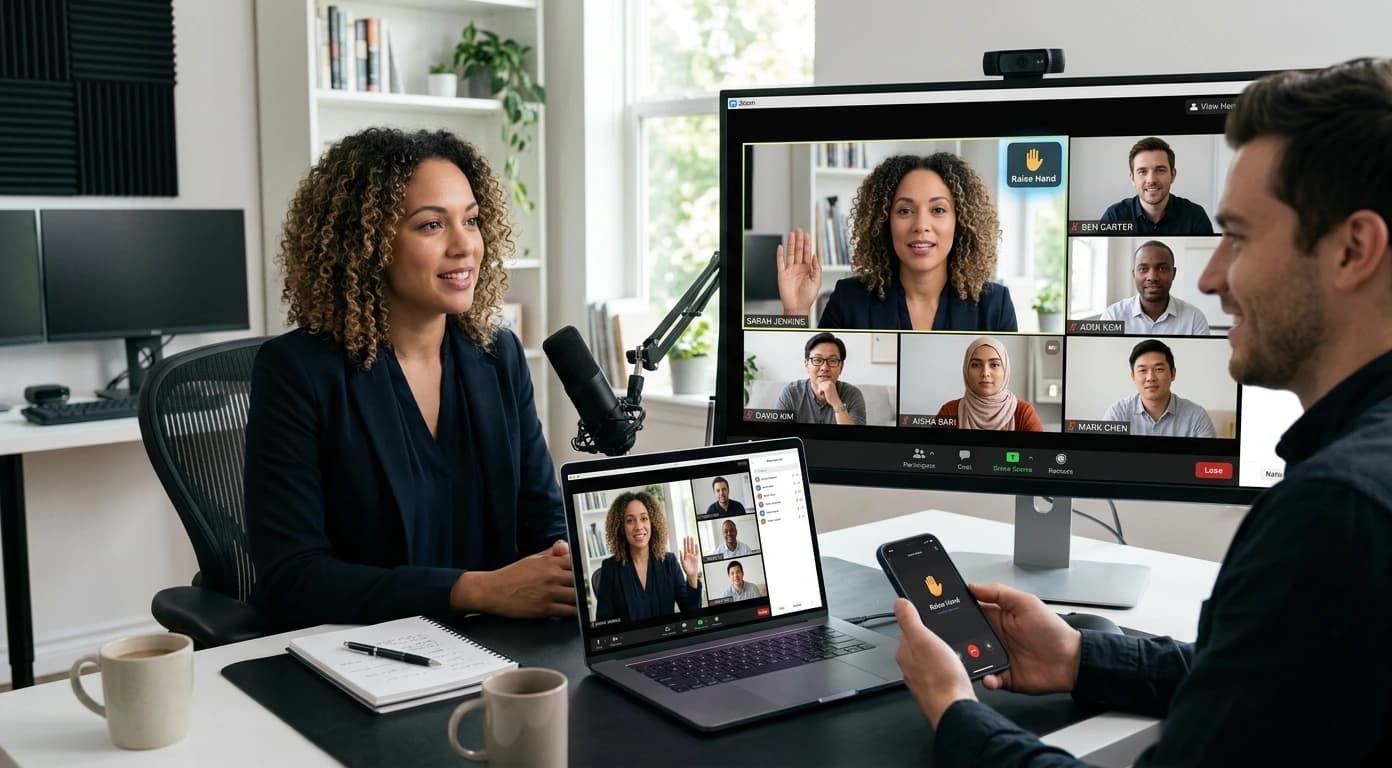
Online meetings make teamwork easier, but they can create awkward communication problems. People sometimes interrupt, speak quietly, or forget to mute their microphones. Others struggle to know when they should speak or ask questions. These issues can make professional meetings feel confusing and stressful. Fortunately, simple habits can quickly improve your online communication. MeetGeek can also help organize meetings and improve communication efficiency. With better virtual meeting etiquette, you can participate confidently without disrupting others. You can also use meeting tools effectively and keep conversations organized.
Why Virtual Meeting Etiquette Matters
Virtual meetings remove many communication cues people naturally use in person. For example, facial expressions and body language become harder to notice online. Audio delays can also make conversations feel less natural. Therefore, participants need clear habits for taking turns and sharing ideas. Good virtual meeting etiquette helps everyone understand when to listen and respond. You should join meetings on time whenever possible. Before joining, check your microphone, camera, internet connection, and meeting settings. Then, close unnecessary notifications during important discussions. You should also mute yourself whenever you are not speaking. Background sounds can easily distract everyone from the current speaker. Additionally, avoid multitasking when active participation matters.
Common Problems During Online Meetings
Many meeting problems happen because participants lack simple communication routines. For instance, several people may start speaking at the same time. This situation can interrupt important ideas and waste valuable meeting time. Another common issue involves asking questions at inappropriate moments. Someone might interrupt a presentation without another way to participate. Some participants also forget basic microphone controls. An open microphone can create distracting sounds from nearby activities. Keyboards, conversations, and other noises can easily disrupt important discussions. Screen sharing can create problems too. People sometimes share the wrong window during important presentations. They may also accidentally reveal unrelated or sensitive information. Fortunately, you can prevent most problems with simple habits.
How to Raise Hand in Zoom Without Interrupting
Knowing how to raise your hand in Zoom makes online participation much easier. Zoom provides a virtual hand feature that signals your desire to speak. Instead of interrupting someone, use the meeting controls to raise your hand. The host can then notice your request and invite you to speak. The interface can vary slightly between devices and app versions. However, the basic process remains straightforward. First, open the meeting controls during your Zoom meeting. Then, look for the reactions or participant controls. Next, choose the option that lets you raise your hand. After the host acknowledges you, wait for your turn. When you finish speaking, lower your hand to prevent confusion. This simple technique supports better virtual meeting etiquette. It also helps hosts manage conversations with many participants.
How to Join a Teams Meeting Smoothly
Knowing how to join a Teams meeting efficiently prevents unnecessary delays. Microsoft Teams allows participants to enter meetings through several convenient methods. You may receive meeting invitations through your calendar or email. Open the invitation and select the organizer's meeting link. Before entering, check your microphone and camera settings. You can also choose whether your camera starts enabled. If you join early, use that time to test your audio. This approach reduces technical interruptions once the meeting begins. You should also use your display name appropriately. A recognizable name helps colleagues identify you quickly. Once inside, follow the host's participation and discussion instructions. Use available reactions or chat features when they support better communication.
Practical Ways to Improve Online Communication
Better meeting behavior does not require complicated strategies. Instead, focus on consistency, preparation, and respectful communication.
Prepare Before the Meeting
Review the agenda before joining whenever possible. Write down important questions you want to discuss. Then, keep relevant documents or notes nearby. Preparation helps you contribute without searching for information during discussions.
Keep Your Microphone Controlled
Mute yourself whenever you are not actively speaking. Before talking, quickly check whether your microphone remains muted. This habit prevents many unnecessary interruptions.
Use Chat Strategically
Meeting chats can help participants share links, questions, and short comments. However, avoid sending unrelated messages during serious discussions. Use chat to support conversations rather than distract participants.
Respect Speaking Turns
Wait for the current speaker to finish before responding. If you accidentally interrupt, pause and let them continue. Small moments of patience can significantly improve group communication.
Consider a Smarter Meeting Management Solution
Regular online meetings can become difficult when teams manage everything manually. Meeting notes, discussions, action items, and follow-ups can quickly become scattered. Therefore, teams can benefit from tools that organize meeting information. Tools such as MeetGeek can help teams manage important information efficiently. Instead of relying entirely on memory, teams can use technology. Technology can support better documentation and more organized follow-ups. A meeting-focused platform can complement good virtual meeting etiquette. It can help participants focus on conversations instead of constantly writing notes. For teams handling frequent calls, MeetGeek can provide a structured approach. That structure can make follow-ups easier and reduce forgotten details.
Benefits of Improving Your Meeting Habits
Better meeting practices can create noticeable improvements throughout your workday. First, organized conversations reduce unnecessary interruptions. Consequently, meetings can become shorter and more focused. Second, clear participation habits make everyone feel comfortable contributing. Participants know when they should speak, listen, or use chat. Third, better preparation reduces technical distractions. Checking your equipment beforehand can prevent avoidable delays. Finally, effective meeting tools can simplify documentation and follow-up. A solution such as MeetGeek can support teams managing frequent discussions. These improvements can save time while creating a professional meeting experience.
Final Thoughts
Online meetings work best when everyone follows simple communication principles. Good virtual meeting etiquette helps teams communicate clearly and respect everyone's time. Learn how to raise your hand in Zoom before interrupting discussions. Also, learn how to join a Teams meeting before important calls. Prepare your technology, control your microphone, and respect speaking turns. For teams with frequent meetings, consider adding a reliable management solution. With thoughtful habits and tools like MeetGeek, virtual collaboration becomes easier. The goal does not require complicated technology or rigid rules. Instead, focus on clearer communication, better preparation, and productive conversations.